

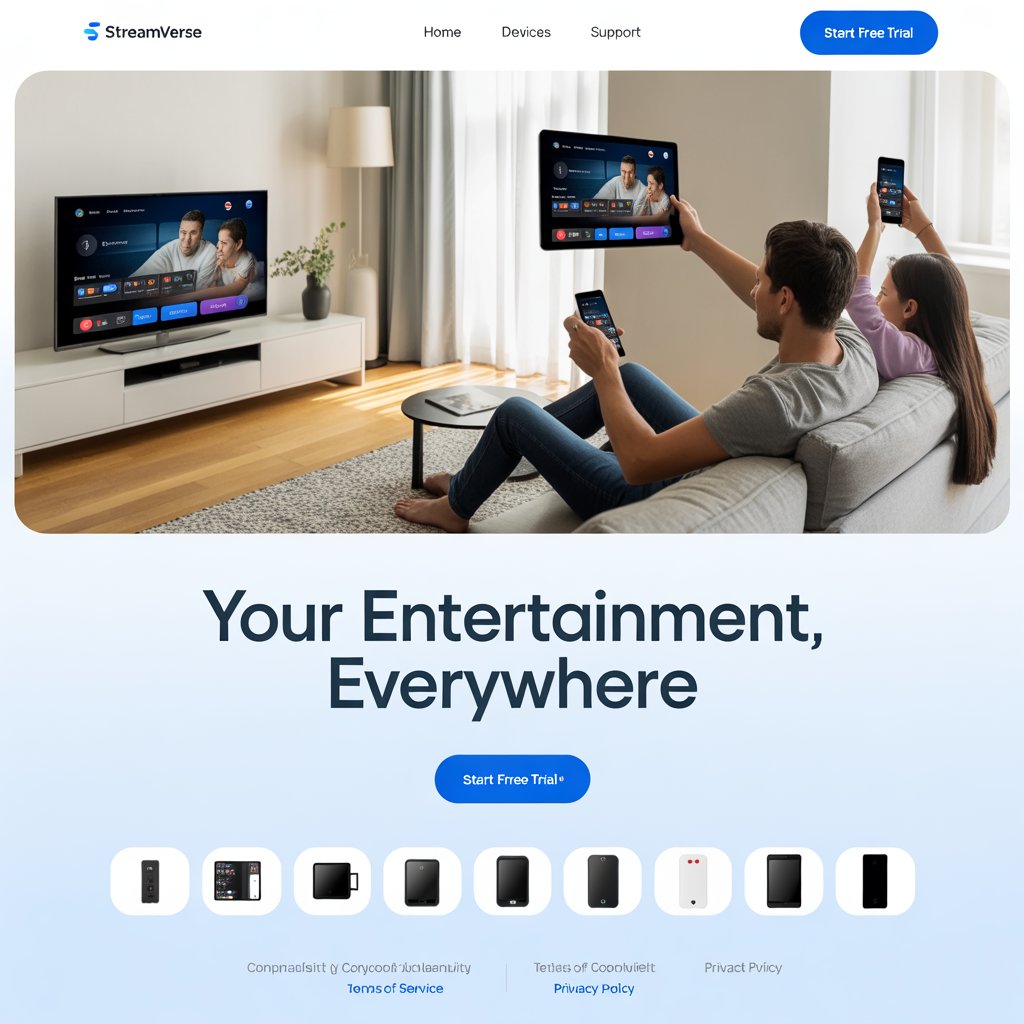
The Ultimate Guide to Multiroom IPTV: Stream Seamlessly Across Your Entire Home
Tired of family members fighting over the remote? Do you wish you could start a movie in the living room and finish it in your bedroom without missing a beat? The solution you’ve been looking for is a **multiroom IPTV** system.
In today’s connected homes, the idea of being confined to a single television is a thing of the past. A well-designed **multiroom** setup allows everyone in your household to watch their favorite shows, movies, and live events on their own terms, on their own devices, and in their own rooms.
This comprehensive guide will demystify the concept of this technology. We will break down what it is, why it’s becoming the standard for modern entertainment, and how you can build a perfect entertainment system for your home in the United States.
We’ll cover everything from choosing the right provider to optimizing your network and selecting the best hardware. By the end of this article, you’ll have all the knowledge you need to create a seamless, lag-free entertainment hub that works flawlessly on every screen in your house.
What is Multiroom IPTV? The Core Concept Explained
At its heart, **multiroom IPTV** is about more than just watching television; it’s about providing a flexible and universal entertainment solution for every member of the household.
Imagine having a single, affordable subscription that grants access to a vast library of live TV, on-demand movies, and TV series. Now, imagine that same subscription allows you to stream that content simultaneously on every screen in your home—from the main TV in the living room to the tablet in the kitchen and the small TV in the spare bedroom. That’s the core promise of a multiroom setup.
Instead of needing a separate cable box or streaming account for each device, this technology leverages the power of a single subscription plan to deliver content to multiple users at once. This functionality is enabled by the provider, which offers a certain number of simultaneous connections, and by the right hardware and software setup in your home.
This makes a multiroom system incredibly convenient and eliminates the hassle of juggling multiple subscriptions or devices.
The Game-Changing Benefits of a Multiroom System
The rise of this technology isn’t just a fleeting trend; it’s a direct response to the way modern families consume media. The benefits go far beyond simple convenience and can genuinely improve the way your family interacts with entertainment.
Uninterrupted Viewing and Total Convenience
One of the most significant benefits of a **multiroom IPTV** system is the ability to maintain continuity in your viewing experience.
Imagine you’re watching a sports game in the living room and need to go to the kitchen to grab a snack. With a multiroom setup, you can simply pause the stream on your living room TV, pick up your tablet, and resume watching the game right where you left off. This seamless transition is a hallmark of a great multiroom service.
It means you are not tied to a single physical location, allowing you to move freely around your home while staying engaged with your content. This level of convenience is nearly impossible to achieve with traditional cable services.
Cost-Effectiveness and Enhanced Family Harmony
In many households, entertainment costs can add up quickly. Separate cable boxes, individual streaming service subscriptions, and rental fees for each TV can become a significant monthly expense.
A multiroom plan, by contrast, bundles everything into a single, often more affordable, subscription. You pay one price for the entire household, regardless of how many devices are in use (within the provider’s limits). This single-source approach is a fantastic way to save money without sacrificing entertainment quality or quantity.
Moreover, a multiroom setup fosters a more harmonious home environment. Instead of bickering over who gets to watch what, everyone can enjoy their own preferred content simultaneously. Whether it’s live sports for one person, a kids’ show for another, and a movie for a third, a quality multiroom system ensures that everyone’s entertainment needs are met.
Setting Up Your Multiroom IPTV System: A Step-by-Step Guide
Building a flawless **multiroom IPTV** system can seem intimidating, but by following a few simple steps, you can set it up quickly and efficiently. The key is to plan your setup from the ground up, ensuring every component works together seamlessly.
Step 1: Assess Your Needs
Before you even begin to look for a provider, you need to understand your own household’s needs. Ask yourself these questions: How many TVs or devices do you plan to use simultaneously?
Are these devices located close to your router, or are they spread across a large home? Do you primarily watch live sports in high-definition, or are you more interested in on-demand content? The answers to these questions will help you determine the minimum number of simultaneous connections you need from your provider and the type of network setup you’ll require for your multiroom system to work perfectly.
Step 2: Choose the Right Provider
This is arguably the most crucial step in building a successful entertainment setup. Not all providers are created equal, and a service that works great for a single-user might not be suitable for a whole-home solution. When evaluating providers, focus on these key factors:
- Simultaneous Connections: This is the most important feature for a multiroom setup. Ensure the provider offers a plan that supports at least as many simultaneous connections as the number of devices you intend to use.
- Server Stability and Uptime: A reliable provider will have a robust content delivery network (CDN) that minimizes buffering and downtime, even during peak hours.
- Channel Lineup and Content Library: Make sure the provider has all the channels and on-demand content that your family enjoys.
- Customer Support: Look for a provider with a reputation for excellent customer service in case you run into any issues.
For a more detailed look at what to look for, be sure to read our comprehensive guide on How to Choose a Reputable IPTV Provider, which provides a checklist of features for your perfect **multiroom IPTV** solution.
Step 3: Select Your Devices
The hardware you use will directly impact the quality of your viewing experience. While many devices can run an IPTV app, some are better optimized for performance and ease of use. A quality streaming box is a worthwhile investment for a smooth multiroom system.
Top recommendations include the NVIDIA Shield TV Pro for its raw power and gaming capabilities, the Apple TV 4K for its user-friendly interface and seamless integration with the Apple ecosystem, and the Amazon Fire TV Cube for its excellent voice control features. Remember, your entire setup is only as strong as its weakest link, so don’t skimp on the hardware.
Step 4: Configure Your Network
Your home network is the backbone of your entire entertainment system. Even with the best provider and hardware, a poor network connection will lead to frustrating buffering. Prioritize a wired Ethernet connection for devices whenever possible, as this provides the most stable and fastest connection.
If a wired connection isn’t feasible, invest in a quality mesh Wi-Fi system to ensure strong, consistent signal coverage throughout your home. Additionally, consider enabling **Quality of Service (QoS)** settings on your router to prioritize IPTV traffic. This will ensure that your stream gets the bandwidth it needed, even when other devices are gaming, streaming, or downloading.
Learn more about how to optimize your home network in our guide: Optimizing Your IPTV Stream for a Better Experience, which is essential for any multiroom setup. For more advanced networking tips, consider consulting an external resource such as a guide from a leading tech publication like PCMag’s guide on improving Wi-Fi speed and range.
Essential Factors for a Flawless Multiroom IPTV Experience
To truly get the most out of your multiroom entertainment system, you need to pay close attention to the details. A few key factors can make the difference between a good experience and a great one.
Internet Speed and Bandwidth
The number of simultaneous streams you can handle with your multiroom setup is directly tied to your internet speed. While a single high-definition stream might require 8-10 Mbps, a 4K stream can demand 25 Mbps or more. To support multiple 4K streams at once, you will need a very fast connection.
We recommend a minimum speed of at least **100 Mbps** for a household with 3-4 simultaneous streams, and even more if you have other heavy internet users. You can test your internet speed using a free tool like Speedtest.net to check your readiness for a multiroom system.
Hardware and Device Performance
The devices you choose for this setup should have powerful processors and sufficient RAM to handle high-quality streams without lag. A cheap streaming stick might be fine for basic streaming, but it will likely struggle with a high-bandwidth live event.
For a seamless multiroom experience, invest in powerful, modern devices that can handle the workload. This is especially important for devices that will be streaming in 4K or handling multiple simultaneous connections.
Provider Reliability and Server Quality
Your provider’s infrastructure is what ensures your content is delivered without interruption. A provider with a geographically diverse and robust CDN will be able to deliver content quickly and reliably, regardless of where you are in the United States.
Look for providers that offer a free trial to test their service’s reliability and stream quality before committing to a long-term **multiroom IPTV** subscription.
The Importance of a Good IPTV App
The application you use to watch your IPTV content is just as important as your provider. Look for an app that is well-maintained, user-friendly, and offers features like an EPG (Electronic Program Guide), channel sorting, and favorites lists.
Some apps are specifically optimized for a multiroom environment, offering a smooth, responsive interface that makes switching between channels and devices a breeze. For a more detailed look at the best IPTV apps, be sure to check out our article on The Best IPTV Apps for Gamers, as many of these apps are also great for a multiroom setup.
Common Questions About Multiroom Entertainment (Featured Snippets)
How many devices can I use with a multiroom plan?
The number of devices you can use with a **multiroom IPTV** system depends entirely on your provider’s plan. Most providers offer plans that allow for 2 to 5 simultaneous connections, which is sufficient for most families. Some premium plans may offer more, but it’s crucial to check this detail with your provider before you subscribe to ensure it meets your household’s needs.
Do I need a separate subscription for each TV?
No, the primary advantage of a multiroom plan is that you only need a single subscription for your entire household. This is a key differentiator from traditional single-user plans. You simply need to ensure your plan supports the number of simultaneous connections you require.
Does multiroom entertainment cause buffering?
This type of system does not inherently cause buffering. Buffering is typically caused by a slow internet connection, insufficient bandwidth, or poor server quality from your provider. By following the optimization steps in this guide, such as using a wired connection and ensuring you have enough bandwidth, you can eliminate or significantly reduce buffering in your multiroom setup.
Can I use my subscription on different networks?
Yes, most providers will allow you to use your multiroom subscription on different networks. This means you could have one person streaming at home, another at a friend’s house, and a third at a vacation home, as long as you are within the simultaneous connection limit. It’s a key feature that provides incredible flexibility.
What is the best device for a multiroom system?
The best device for a multiroom system is a powerful streaming box like the NVIDIA Shield TV Pro or Apple TV 4K. These devices have robust processors and ample RAM, allowing them to handle high-bandwidth streams from a multiroom service with minimal lag and without performance issues, which can be a common problem with less powerful devices.
The Difference Between Single-User and Multiroom Plans
It’s important to understand the fundamental difference between single-user and multiroom plans. A single-user plan is designed for one person to watch on one device at a time. If you try to log in on a second device, the first device will likely be disconnected. This can be incredibly frustrating in a multi-person household.
A multiroom plan, on the other hand, is built from the ground up to support multiple simultaneous connections. This feature is the defining characteristic of a good multiroom provider and is the reason you pay a slightly higher price for these plans. The value you get from the ability to watch on every screen in your home, however, is well worth the investment for a complete multiroom solution.
Multiroom IPTV vs. Traditional Cable TV: A Modern Showdown
While traditional cable TV has been the standard for decades, this technology offers a more flexible and cost-effective alternative. Here is a quick comparison of the two:
- Cost: Cable TV often requires separate fees for each set-top box, plus additional charges for HD content and premium channels. A multiroom subscription is a single, all-inclusive fee for the whole household, resulting in significant savings over time.
- Flexibility: Cable TV is tied to physical set-top boxes, limiting you to specific locations in your home. This service allows you to stream on any compatible device, including smartphones, tablets, and computers, giving you the freedom to watch wherever you are.
- Content: While cable TV offers a fixed number of channels, IPTV services often come with extensive on-demand libraries and a wider variety of international channels.
- Technology: IPTV leverages the internet, meaning you can benefit from higher-quality streams and faster channel switching. The technology behind this service is modern and constantly evolving.
For a more in-depth analysis of the two technologies, be sure to read our guide: IPTV vs. Cable: A Detailed Comparison, which helps you make an informed decision for your multiroom setup.
Conclusion: A Seamless Entertainment Experience for Everyone
The days of arguing over the remote are over. By embracing the power of a multiroom system, you can provide every member of your family with a personalized, high-quality entertainment experience. With a single subscription and the right hardware, you can unlock a world of content on every screen in your home, all at a fraction of the cost of traditional cable TV.
Building a **multiroom IPTV** setup is an investment in convenience, family harmony, and a modern, future-proof way to consume media. By following the steps outlined in this guide, you can create a flawless system that works seamlessly for everyone. So, what’s holding you back? Level up your home entertainment today and make the switch to a complete multiroom solution.
What’s your biggest struggle with setting up a multiroom entertainment system? Share your thoughts and questions in the comments below, or tell us about your multiroom setup!
Return to top of page